

If you use Claude Code every day, but don't analyze your sessions — you're probably wasting time in places you can't even see.
Anyone who uses Claude regularly and puts it to work on tasks of varying complexity, eventually starts customizing and optimizing it. Until recently, my optimization process looked like this: I'd identify areas for improvement, then decide where to add a custom skill, where to plug in a multi-agent flow, where to tweak settings.
It was deliberate optimization, but I was still optimizing by feel — without hard data on where I was actually losing time.
When I started regularly using /insights, I saw something far more valuable than statistics.
It's a map of my processes and a plan for improving them. An overview of what works well — and what needs refinement.
Loops I'm shortening
The command is straightforward: you run it, wait for the result, then open the report (HTML format) in your browser. Grab a cup of coffee or tea — the first read will take a while.
The report shows you what's working well in your case — but that's not the most important part.
The most important part is the next section, where you'll find a summary of what could be done better.
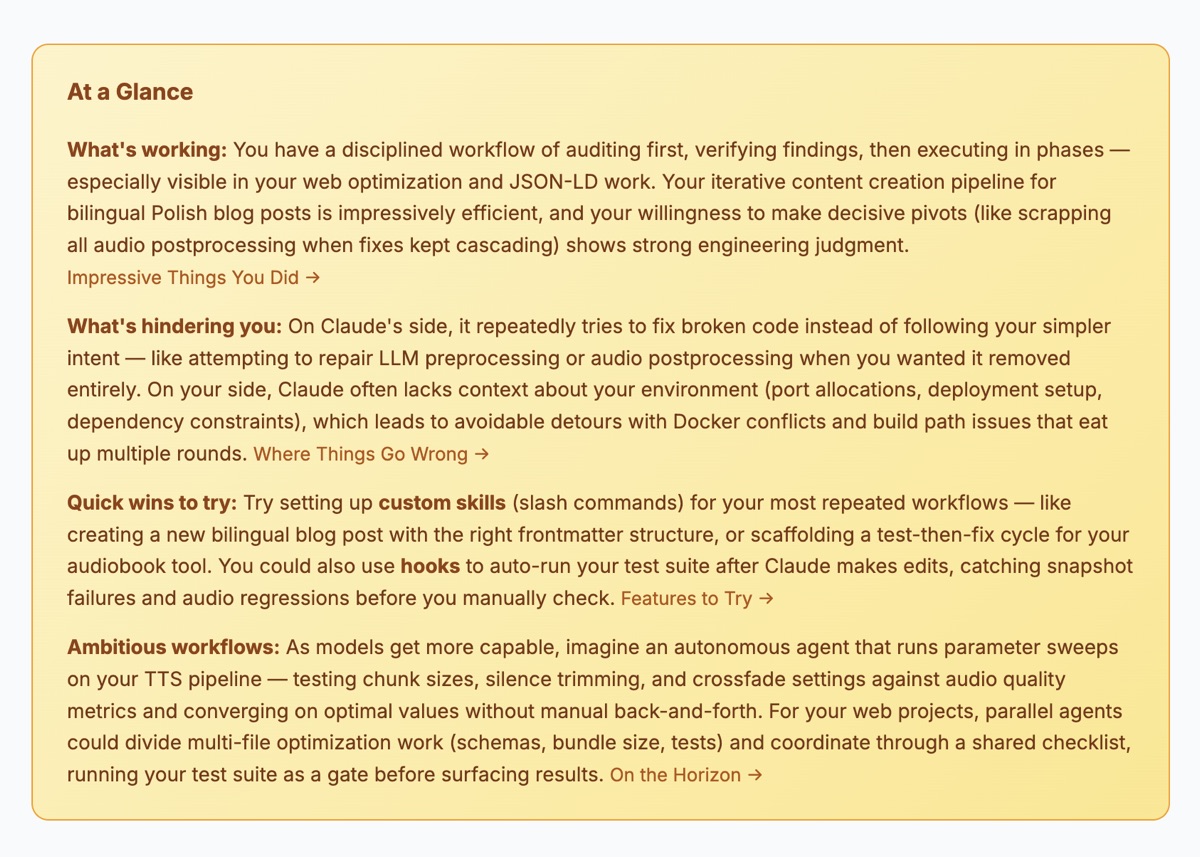
I love TDD for its short feedback loop.
Here I have a loop too. Except instead of a short feedback loop, I'm creating a stretched-out sequence of manual steps that could be wrapped into a single process.
Every repetition is a signal that the process hasn't been properly designed yet.
I don't optimize by feel. I look at the data and shorten the loop.
What I recently improved in my setup
1. Claude.md makeover
My Claude.md file went through a major overhaul.
I added an entire section defining what testing, building a project, and architectural decisions mean to me.
I precisely described that: we build from scratch, clear the cache, run the full test suite, and for architectural decisions I get several options to choose from — not just one suggestion.
It seems obvious, but it wasn't formalized before. Insights showed me I kept coming back to these topics repeatedly.
2. Improved the code review skill
I already had a custom skill for code review (I described it in a previous post).
However, Insights revealed that Claude didn't always use the correct code base for comparisons during review.
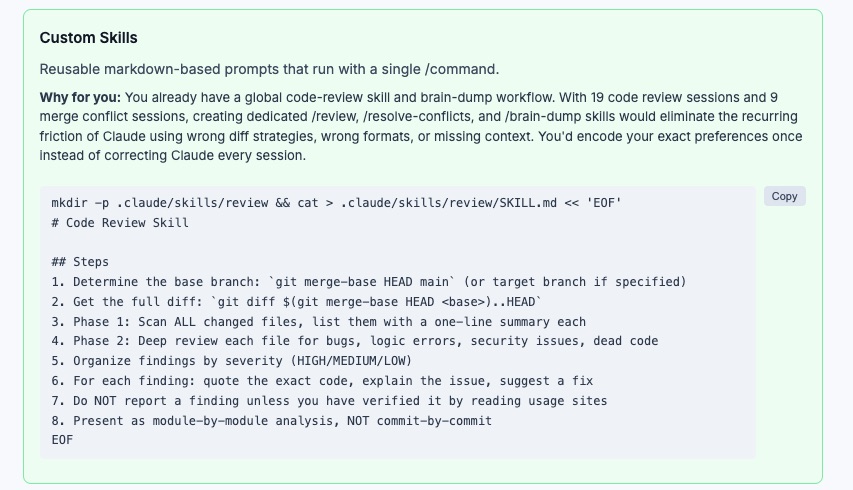
The suggestion was simple but crucial: modify the skill so it always selects the base matching the branch I'm actually working on.
It's a small change in the skill definition, but it eliminates contextual errors that previously required manual corrections.
3. Structuring blog post publishing
Until now, I'd paste the entire text with formatting, and Claude would handle transferring everything to Astro.
Insights suggested that the way I was passing content was generating unnecessary iterations.
So I started thinking about structuring this process: separating content from the technical layer, a clear data handoff schema, a potential dedicated publishing skill.
It wasn't an immediate change — but it was a starting point for organizing the process.
4. Hooks — I finally started using them
Claude suggested a hook for automatic linting of files before pushing.
At first glance — a great idea.
After deeper analysis (with Claude), I decided it would be overkill in my case.
Linting triggered on every file change could mean waiting too long for even minor fixes. I have lints in pre-commit hooks, and those are enough for now.
But that suggestion opened up another analysis.
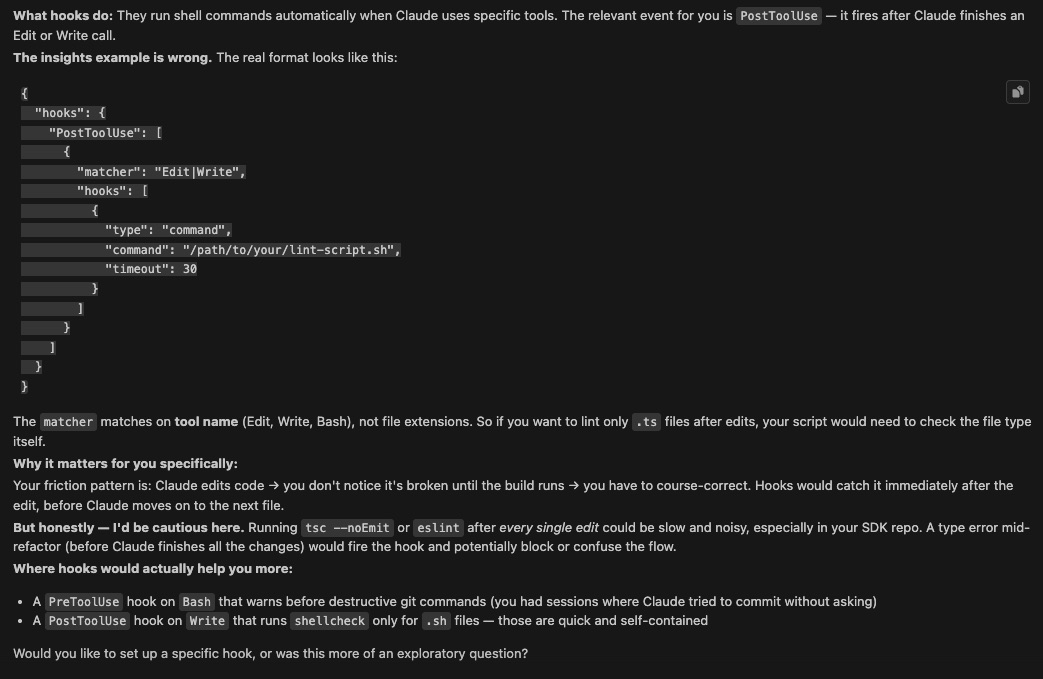
In the end, I added a different hook: Claude cannot push anything to Git without my explicit consent.
That's real control for me. Automation where it makes sense.
A brake where it's needed.
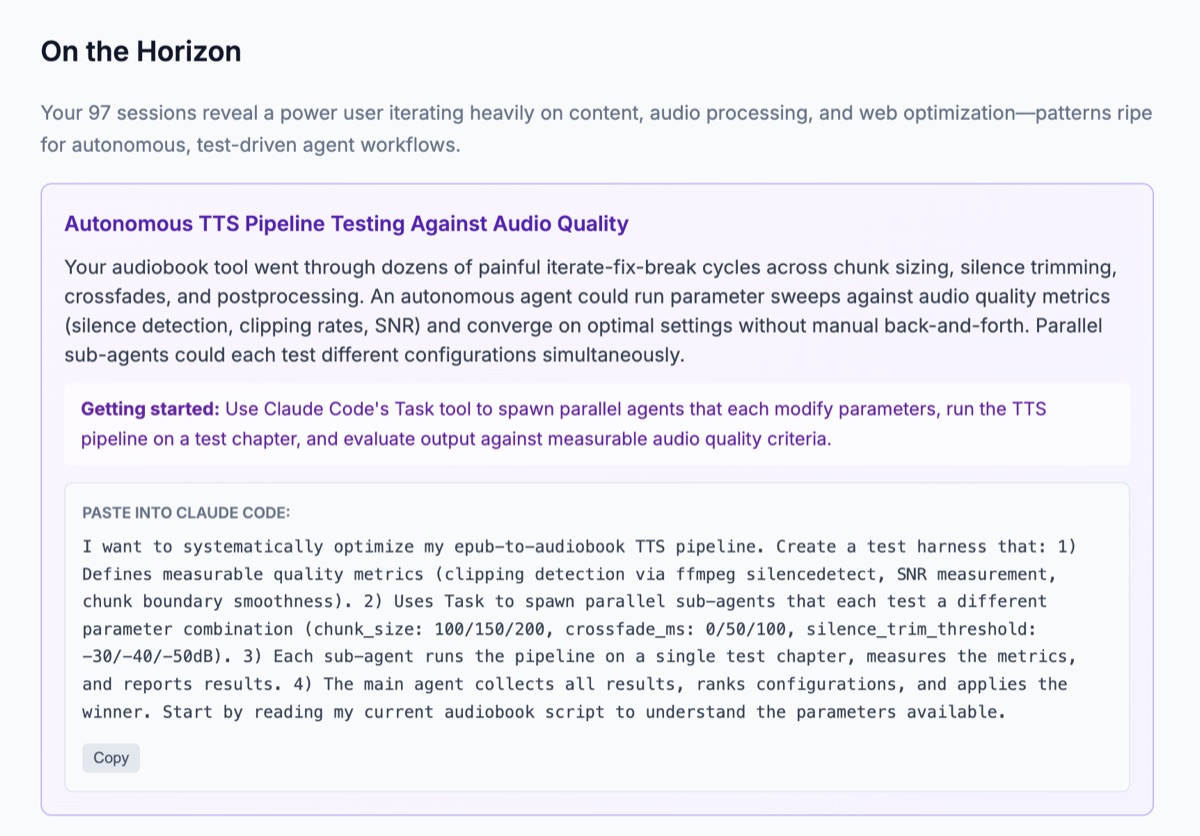
5. What else can I aim for?
Remember the audiobook post and how I introduced improvements? Claude identified opportunities to improve the pipeline. Previously, I'd make a fix, run the generator, and wait... it took time. One of the more interesting ideas was to automate this. These aren't 20-minute changes, but they're a direction worth considering. Claude suggested first steps in this direction.
Feedback tailored to your way of working
I have two Claude licenses: one for work and one personal.
I use each in different environments, for different projects, in different ways.
Out of curiosity, I ran /insights on both.
The reports were completely different.
Each was tailored to a specific way of working, different projects, different behavioral patterns. I got an analysis of my work system in a given environment.
Every system is different, every one needs improvements.
What this changed
Effective use of AI is not just prompt engineering.
It's regular optimization of the processes I build around the tool.
AI speeds up my work on its own, but it truly accelerates it when I design how I work with it and the processes that guide that work. Depending on the context, this process can look different.
And that's the real value of Insights for me. If you haven't tried this tool yet — try it today!