
Photo by Ron Lach: Pexels
Many thought ChatGPT was an "all or nothing" deal for children. Surprise! OpenAI introduced real parental controls. No more workarounds!
Why is this important?
Parental controls in AI address three main concerns parents have:
Time: How many hours does the child spend chatting.
Data: Whether conversations go into OpenAI's database (privacy!).
Content: Whether the chatbot will answer questions it shouldn't.
How to set up parental controls in ChatGPT – two simple steps
It's now as easy as 1-2-3, because you do it right inside ChatGPT!
Step 1: Link accounts (like adding to a family group)
Go to Settings.
Find the Parental controls section.
Select + Add family member.
Send an invitation (email/SMS) to your teen's account.
Step 2: Set rules (your digital guardrails)
After your child accepts the invitation, you take control of key settings:
Quiet Hours:
Your digital "curfew". Set hours when ChatGPT is blocked for your child. Time control!
Disable model training:
Block your child's conversations from being used to "train" AI. Data control!
Disable Memory:
The chatbot doesn't remember your child's previous conversations and doesn't personalize future responses based on them.
Content restrictions:
The system automatically filters and limits access to graphic, violent, or sexual content.
Block images/voice:
You can disable AI image generation and voice chat mode if you prefer.
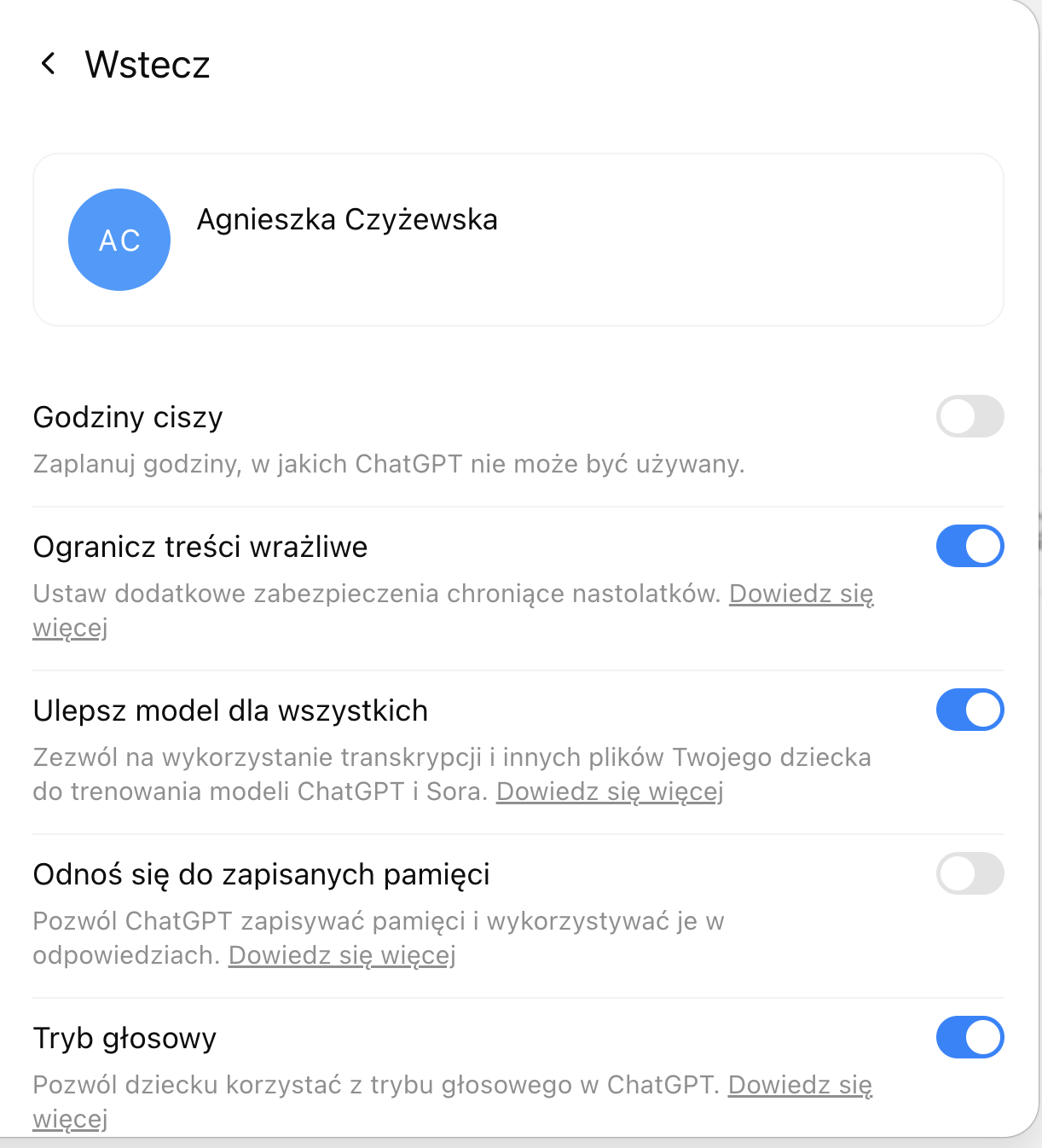
Parental control settings panel in ChatGPT
What to watch out for? Two important catches
Your child's privacy is protected
As a parent, you don't have access to the content of your child's conversations. You only get alerts in rare cases when the system detects a serious threat (e.g., crisis).
Possibility of disconnection
Your teen can disconnect their account from yours – but don't worry, you'll be notified immediately.
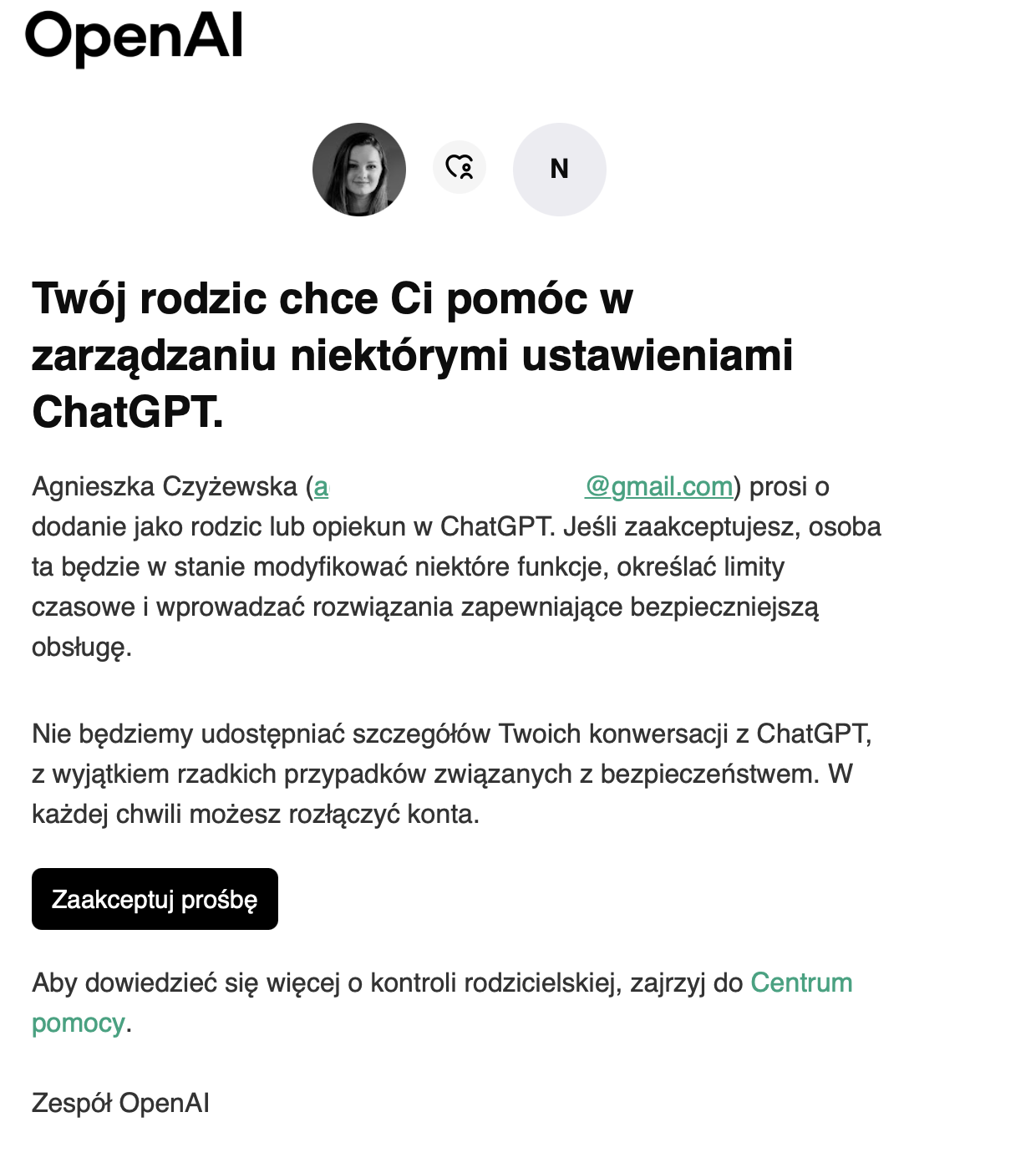
This is what ChatGPT looks like from a child's perspective with parental controls enabled
Conclusion: Technology + conversation = safety
It's great that AI creators give us such tools. They show they take safety seriously.
Remember, however, that no technical lock replaces a conversation about responsible use of technology. Use these tools to set boundaries, and AI will be a helper at home, not a supervisor.